WordPress limo booking software for Austin companies
Chauffeur Plugin gives Austin limo, black car and chauffeur companies a complete booking and dispatch system on their own website. Clients get instant prices for AUS runs, festival and race weeks and tech corporate travel; you dispatch, track flights and invoice companies, for one flat yearly price.
In short
Austin chauffeur work is airport runs from AUS, tech companies from Downtown to the Domain, and huge event weeks: SXSW, Austin City Limits and Formula 1 at Circuit of the Americas. Chauffeur Plugin handles it on your own WordPress site: fixed airport prices, date rules for event weeks, hourly hire, corporate accounts and a driver app. One flat yearly licence, no commission.
Updated
- from AUS to Downtown Austin, 15 to 25 minutes
- ~8 mifrom AUS to Downtown Austin, 15 to 25 minutes
- from AUS to Circuit of the Americas; much longer on race days
- ~8 mifrom AUS to Circuit of the Americas; much longer on race days
- fills the city with visitors every March
- SXSWfills the city with visitors every March
- of Austin regulates ground transportation, including limousines
- Cityof Austin regulates ground transportation, including limousines
Built for Austin trips
The work Austin operators actually do
From AUS runs to tech campuses, SXSW, Austin City Limits and race week at COTA, each kind of Austin trip maps to a feature you can switch on today.
SXSW, ACL and race week
Date rules raise prices on event days; hourly hire with a minimum keeps cars booked for the day.
AUS runs
Fixed prices to Downtown, the Domain and the suburbs, flights tracked.
Tech corporate accounts
Companies Downtown and at the Domain book on account and get one invoice a month.
Hill Country trips
Fredericksburg wineries and Lake Travis sold as tours or priced by distance.
Groups and parties
Several vehicles in one booking for teams, bachelor parties and weddings.
Busy weeks, no missed calls
The AI assistant answers and books during event weeks when the phone never stops.
Fixed routes
Price your busiest Austin routes once
Airport runs are where Austin operators win or lose clients. A fixed price per vehicle class answers the first question every traveller asks, before they call anyone else.
Fixed price · both directions
AUS ↔ Downtown Austin
8 mi15–25 min by car
Hotels, convention center and Sixth Street
- Sedan
- $70
- SUV
- $100
Fixed price · both directions
AUS ↔ Circuit of the Americas
8 mi15–25 min by car
Much longer on race days; sell hourly then
- Sedan
- $75
- SUV
- $110
Fixed price · both directions
AUS ↔ The Domain
20 mi25–40 min by car
Tech offices and shopping
- Sedan
- $95
- SUV
- $130
Fixed price · both directions
AUS ↔ Round Rock
25 mi30–45 min by car
Corporate campuses north of the city
- Sedan
- $110
- SUV
- $150
Fixed price · both directions
AUS ↔ Lake Travis
30 mi40–55 min by car
Lake houses and resorts
- Sedan
- $130
- SUV
- $175
Example prices to show the idea; you set your own. Distances and drive times are approximate and depend on traffic.
How fixed routes work
- 1Draw the zonesMark AUS as an airport zone, then Downtown, the Domain, Circuit of the Americas and Lake Travis on the map.
- 2Set one price per vehicle classEnter the price for each route and class, the same in both directions or different if you like.
- 3Clients see it instantlyAny address inside a zone gets the route price. The smallest zone wins when zones overlap.
Everything else is priced automatically
Trips outside your routes use your per-mile or hourly rates from the live Google route. Airport fees, night and weekend fees, and your seasonal rules still apply on top of a fixed price.

Set up your Austin routes today
Install the plugin and add your AUS prices in the free trial.
What Austin clients see
A booking your clients actually finish
Follow one Austin-Bergstrom booking from the client's side: four steps from your home page to the chauffeur at arrivals.
Step 1 of 4
They start on your home page, not on a software vendor's
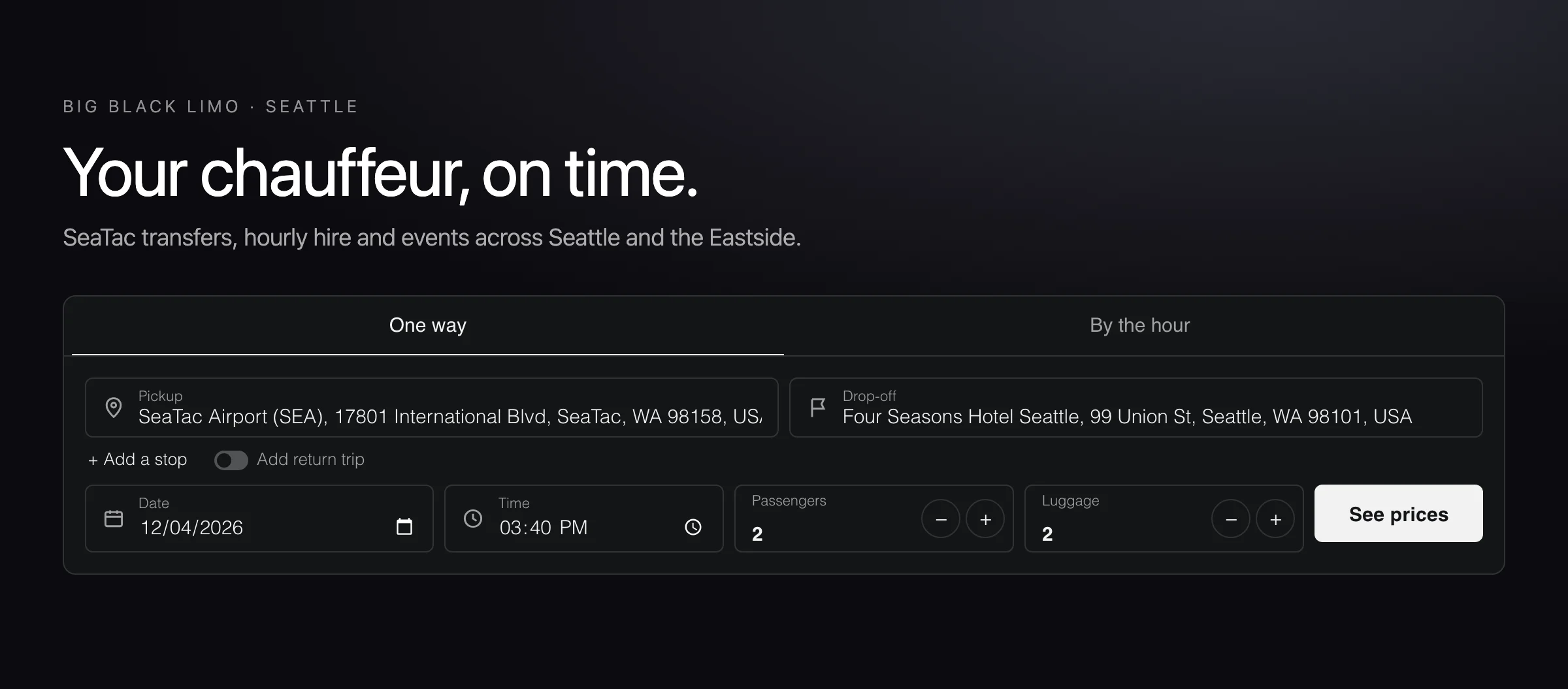
The quick form sits in your hero. AUS, Downtown hotels and Circuit of the Americas come up first as Popular locations, so a visitor can price a trip in seconds.
- Your domain, your brand, your colours
- Popular locations before anyone types
- Light or dark to match your site
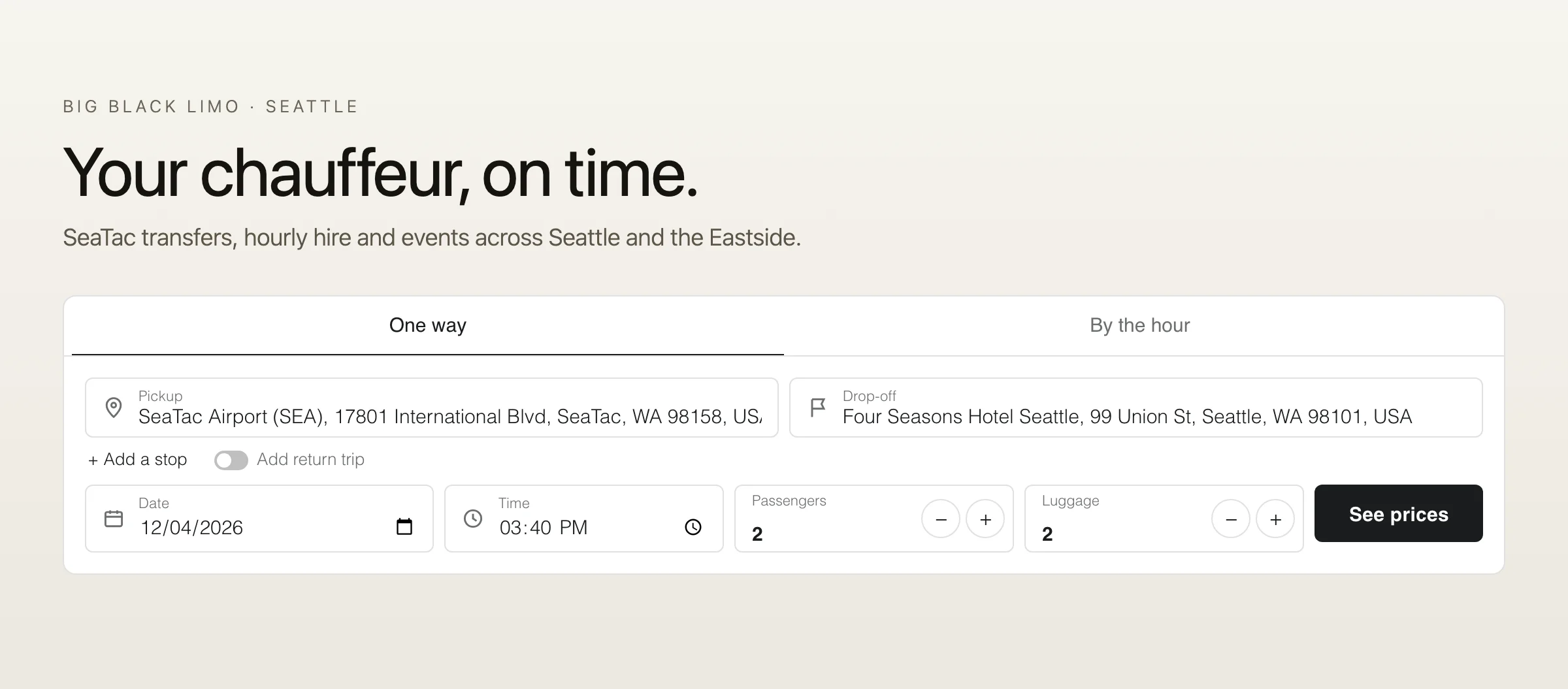
Real plugin screen on a sample site (Big Black Limo).
Install Chauffeur Plugin
Give your Austin clients this booking experience
Install Chauffeur Plugin on your WordPress site and take your first online booking this week. Every feature is included from day one.
No card needed · every feature, no add-ons · then from $89.99 a year
- 1Upload the pluginPlugins → Add New → Upload, then Activate.
- 2Run the 10-minute setupCompany, Google Maps, prices, payments.
- 3Add the form to your siteA block, an Elementor widget or a shortcode.
Austin-Bergstrom pickups
Every AUS arrival, tracked to the minute
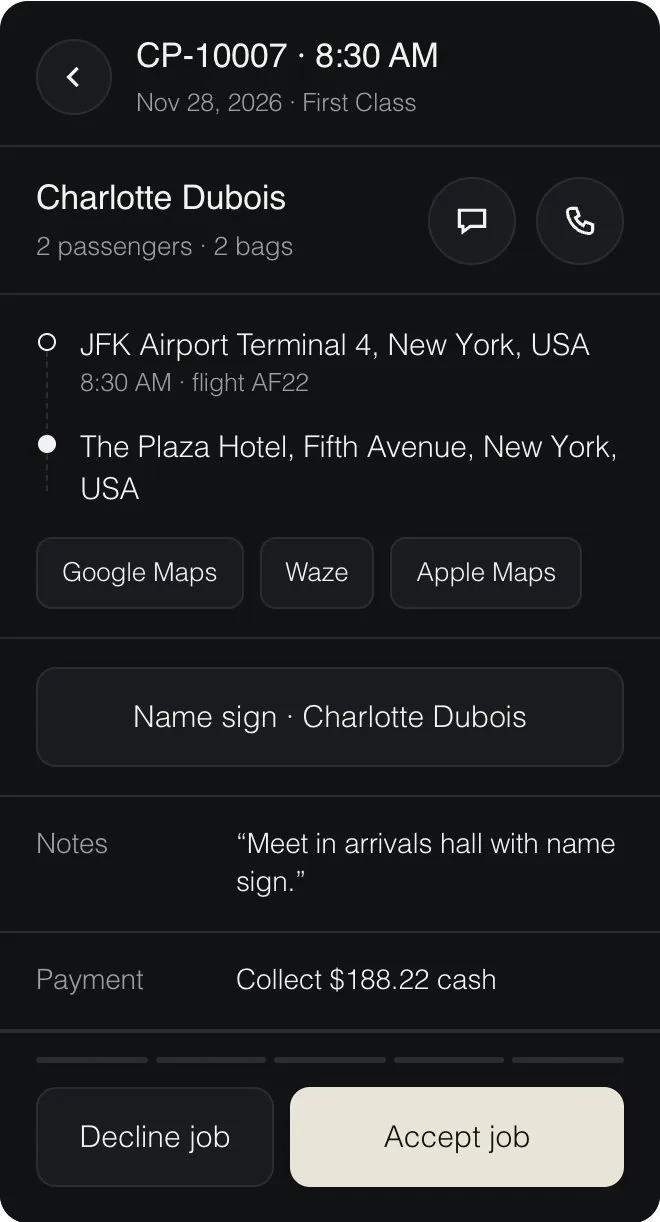
Clients enter their flight number when the pickup is Austin-Bergstrom. The plugin follows the flight from the day before, moves the pickup when it lands late and tells the chauffeur, your office and the client. Your chauffeur waits for the plane, not the other way round.
- Pickup moves with late flights, from the original booked time
- Terminal, gate and baggage belt in the driver app
- Full-screen name sign with your logo for meet and greet
- 60 minutes of free waiting at airports, then billed per minute
Events at Circuit of the Americas and Austin Convention Center
Event nights priced and booked in advance
Concerts, games and galas are where hourly hire pays. Clients book by the hour with your minimum, pick the vehicle that fits the group, and your date rules add the event-night surcharge by themselves.
- Hourly bookings with a minimum per vehicle class
- Date rules for event nights and holidays
- Several vehicles in one booking for groups
- Deposits that secure the date

Downtown and the Domain corporate travel
Corporate accounts that pay once a month
Companies in Downtown and the Domain want one invoice, PO numbers and their own rate. Add each company with its email domain: staff are recognised automatically, book on account with nothing to pay, and the company gets one invoice on the 1st for last month's trips.
- Company rate and trips on account
- PO numbers and cost centres on every trip
- One PDF invoice a month, numbered without gaps
- Promo codes limited to a company's email domain

AI booking assistant
Answers and books while you're on the road
A late flight lands and a visitor wants a price for tomorrow's early run to AUS. The AI chat on your website answers from your pages, quotes the real price from your rates and takes the booking in the chat once they confirm. Included, with your own Anthropic key.
- Real prices from your booking system, never guesses
- Books in the chat after a summary the visitor confirms
- Answers "where is my car?" with the booking reference
- Hands complaints and special requests to your team
Dispatch and payments
One board for the whole day, money straight to your account
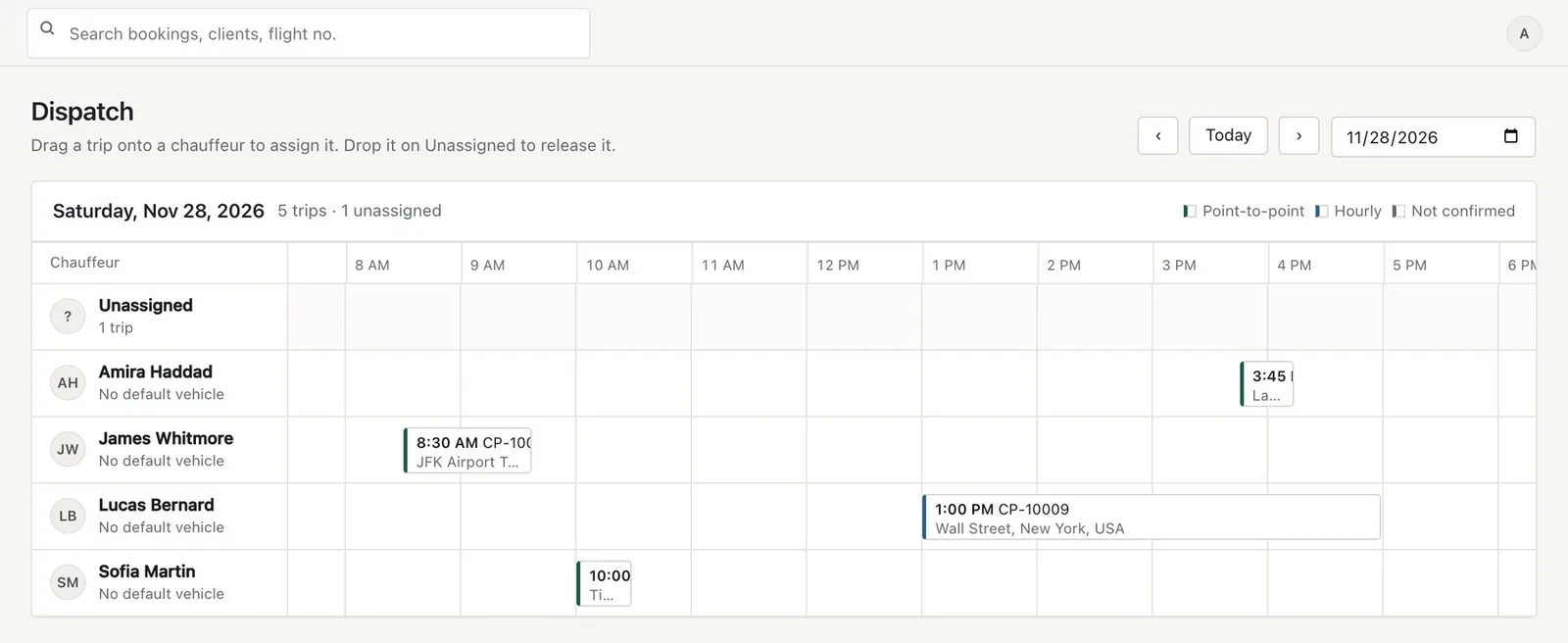
Drag each trip onto a chauffeur; overlaps, buffers and time off are flagged. Clients pay by card, Apple Pay or Google Pay through your own Stripe, Square, PayPal or Mollie account, or a deposit now and the rest after the trip. Waiting time, parking and tolls are added after the trip.
- Dispatch board with a lane per chauffeur
- Driver app on any phone, no app store
- Full payment, deposit, or capture after the trip
- Live "your chauffeur is on the way" link for clients
Service area
Serve Austin and the towns around it
Limit bookings to a radius around your base or to zones you draw. Trips outside your area become quote requests, so you never miss a profitable long-distance job.
Common service areas near Austin
- Austin
- Round Rock
- Cedar Park
- Georgetown
- Lakeway
- Bee Cave
- San Marcos
- Dripping Springs
- Fredericksburg
Set up in an afternoon
How to set up Chauffeur Plugin for a Austin car service
Seven settings that make the booking form fit local work. Each links to the step-by-step guide in the Help Center.
- 1Regional settingsUS dollars, miles and your time zone (Central). Default country US, so phone numbers and address search start in the right place.
- 2Service areaCountries you serve: United States. Then a radius around your base so Round Rock, Cedar Park and Georgetown are in and long-distance trips become quote requests.
- 3Popular locationsAustin-Bergstrom Airport (AUS), Circuit of the Americas, Austin Convention Center, Moody Center and The Domain. Clients pick them in one tap.
- 4Zones and fixed routesDraw AUS as an airport zone, then Downtown, the Domain, Circuit of the Americas and Lake Travis. Set a fixed price per vehicle class for your busiest routes.
- 5Airport fee and flight trackingAdd an airport pickup fee and the airport words AUS, Austin-Bergstrom. Turn on flight tracking so pickups move with late flights; 60 minutes of free waiting covers baggage claim.
- 6Pricing rulesPlus a percentage on your busiest dates (see the seasons below), a night fee for late returns, and a few percent off trips booked 30 days ahead.
- 7Corporate accountsAdd your Downtown and the Domain clients under Companies with their email domains, a company rate and PO numbers. They book on account and get one invoice on the 1st.
Guides: regional settings, service area and popular locations, zones and fixed routes, flight tracking, pricing rules, company accounts.
Seasons
The Austin year, and the rule for each season
Demand moves with the event calendar, the travel seasons and the holidays. Pricing rules change prices by date, weekday and time, so you set each season once.
| When | What | Set up |
|---|---|---|
| March | SXSW | Date rules with a higher hourly minimum |
| October | Austin City Limits and Formula 1 at COTA | Event-day surcharges and longer buffers |
| Fall Saturdays | Longhorns football | Game-day surcharge |
| All year, weekdays | Tech corporate travel | Company rates and trips on account |
One licence, no add-ons
Everything a Austin car service needs, included
Every feature is available the moment you activate the plugin. No modules to buy, no higher tier to unlock, no fee per vehicle or booking.
- Online booking form with instant prices
- Quick form for your home page
- Fixed routes, zones and airport fees
- Pricing rules for seasons and events
- Flight tracking for airport pickups
- Popular locations for airports and venues
- Stripe, Square, PayPal, Mollie, cash
- Apple Pay and Google Pay
- Deposits and capture after the trip
- Dispatch board and driver app
- Name sign and live tracking link
- Email, SMS, WhatsApp and Telegram
- Company accounts and monthly invoices
- PDF invoices and receipts
- Reviews that grow your Google rating
- AI booking assistant
- Reports and chauffeur payouts
- Seven booking form languages
No card needed · 14-day money-back guarantee · $249.99 once for a lifetime licence
Do the maths
What Austin operators keep by switching
Enter what you pay today. One Chauffeur Plugin licence covers your website with every feature, unlimited vehicles, chauffeurs and bookings, and no commission.
Monthly limo platforms commonly charge about $99 to $199 a month, some with a fee per booking or vehicle. Google Maps and payment-provider fees are paid either way, so they are left out.
Your software costs now
$1,788 a year
Chauffeur Plugin, every feature, no add-ons
$89.99 a year
You keep
$1,698
a year, or $5,094 over three years
Is it right for me?
What Austin operators ask before they switch
I'm not technical. Can I set it up?
If you can edit a page on your WordPress site, yes. A setup guide walks you through company details, Google Maps, prices, payments and notifications in about ten minutes, and the Help Center has a step-by-step guide for every setting.
I don't have a WordPress website yet.
Most hosts install WordPress in one click. Pick any theme, add the quick form to your home page and the plugin creates the Book a ride, My account and Driver pages for you.
I already use monthly limo software.
Run the 14-day free trial next to it on a staging copy of your site. Set up your rates and airport routes, make test bookings, and switch when you're happy. Nothing to cancel if it's not for you.
Will I need to buy add-ons later?
No. Every feature on this page is in every licence from day one: flight tracking, company accounts, SMS and WhatsApp, the AI assistant and the rest. You only pay outside services you choose, like Google Maps or an SMS provider, directly.
What if a client books something I can't do?
Set Minimum notice and your service area so last-minute or far-away trips become quote requests you price yourself. Or switch on manual confirmation and approve every booking.
What if I need help?
Write to us from the contact page and we reply within one business day. There's also a 14-day money-back guarantee after you buy.
Before you start
Running a car service in Austin: what to check
Software doesn't replace licensing. These are the usual checks for operators in the area; always confirm the current rules with the regulator.
- In Austin, the city regulates ground transportation services, including limousines. Check the City of Austin's current rules before you take bookings.
- Pickups at Austin-Bergstrom follow the airport's ground transportation permits. Check them before you start airport work.
- Record your permit numbers in Settings → Company so they appear on invoices.
What is the best booking software for an Austin limo company?
Look for fixed AUS prices, event-week pricing, hourly hire, corporate accounts and a driver app on your own website. Chauffeur Plugin covers all of these inside WordPress for a flat yearly price with no commission.
How should I price race days at COTA?
Sell race days by the hour with a minimum and add a date rule for race weekend; traffic makes point-to-point pricing unreliable then.
Can tech companies book on account?
Yes. Add the company with its email domain; staff book with PO numbers and the company gets one invoice a month.
Can I sell Hill Country winery tours?
Yes. Add each tour with its duration and one price per vehicle class; it appears in a Tours tab on your booking form.
Do I need to buy add-ons for a Austin car service?
No. Every feature is included in every licence and available as soon as you activate the plugin, including flight tracking, company accounts, SMS and WhatsApp, invoices, reviews and the AI assistant. You only pay outside services you choose, such as Google Maps or an SMS provider, directly.
Can clients pay with Apple Pay or Google Pay?
Yes, through your own Stripe account, along with cards. Square, PayPal and Mollie are also built in, plus cash on pickup and company accounts. Money goes straight to your account; the plugin takes no cut.
Can I charge for waiting at Austin-Bergstrom?
Yes. Set free waiting for airports (60 minutes by default) and a price per minute. The chauffeur enters the minutes waited in the driver app and you approve and collect the charge after the trip.
Is client data kept in my own database?
Yes. Bookings, clients and chauffeurs are stored in your WordPress database on your hosting. Export and erase tools cover privacy requests.
What does it cost compared to monthly limo software?
Chauffeur Plugin costs $89.99 per year for one website, or $249.99 once for a lifetime licence, with no commission or per-vehicle fees. Monthly platforms commonly cost about $99 to $199 or more per month.
Take Austin bookings on your own website
Try every feature free for 14 days. No card needed, no commission on your bookings, ever.