Add your chauffeurs
Go to Drivers → Add chauffeur and enter name, phone, email, licence number and expiry, and how they are paid: a percentage of the fare, an hourly rate or a fixed amount per trip. Add time off so you don't assign them by mistake.
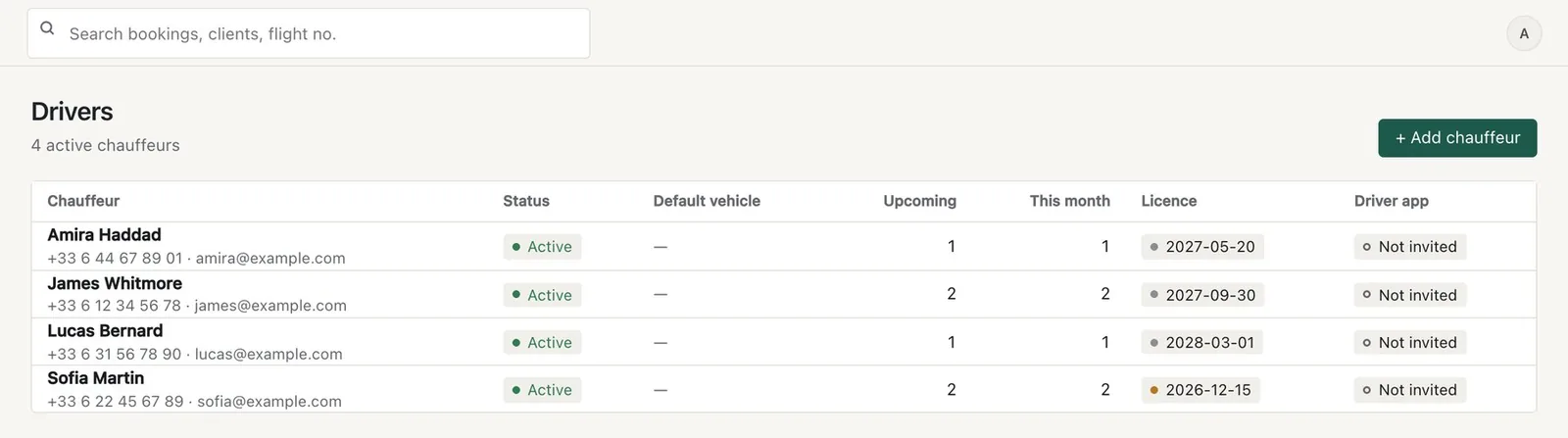
Click Invite to email the chauffeur a sign-in link to the driver app.
The dispatch board
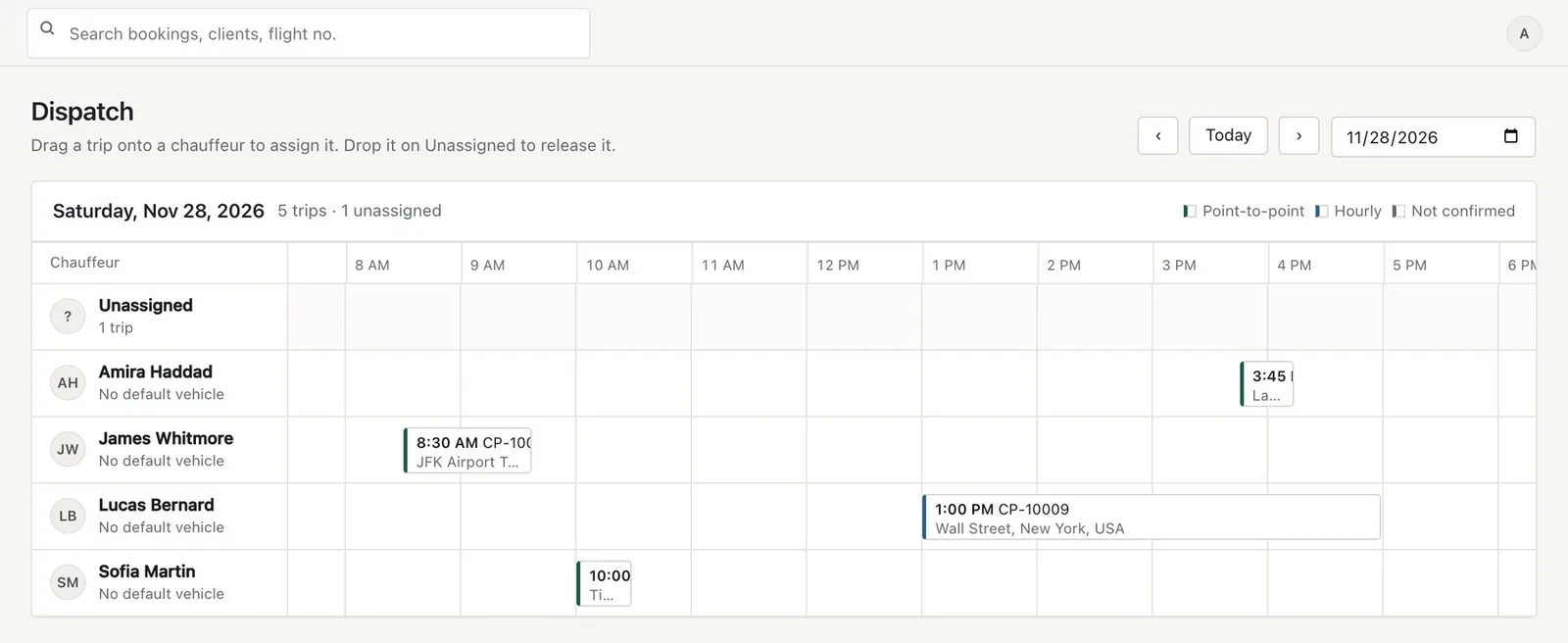
Dispatch shows the day on a timeline with one row per chauffeur. Drag a trip onto a chauffeur to assign it; drop it on Unassigned to release it.
Farm out to a partner
When you're fully booked or a trip is outside your area:
- Add the operator under Partners (name, email for job offers, area).
- In the booking drawer choose Farm out to a partner, pick the partner and what you pay them. The drawer shows your margin.
- The partner gets an email with a private job page, no account needed. They accept or decline.
- Once accepted, they see the passenger's details, enter their chauffeur and car and update the trip. Your client gets your usual messages.
Take back returns the job to you. The Partners screen shows what you owe each partner per month.
Frequently asked questions
Can I assign a trip that overlaps another?
The dispatch board flags overlaps, short gaps and time off, but you can still force the assignment.
Does the partner need an account?
No. Partners get a private job page by email, where they accept, add their chauffeur and car and update the trip.